
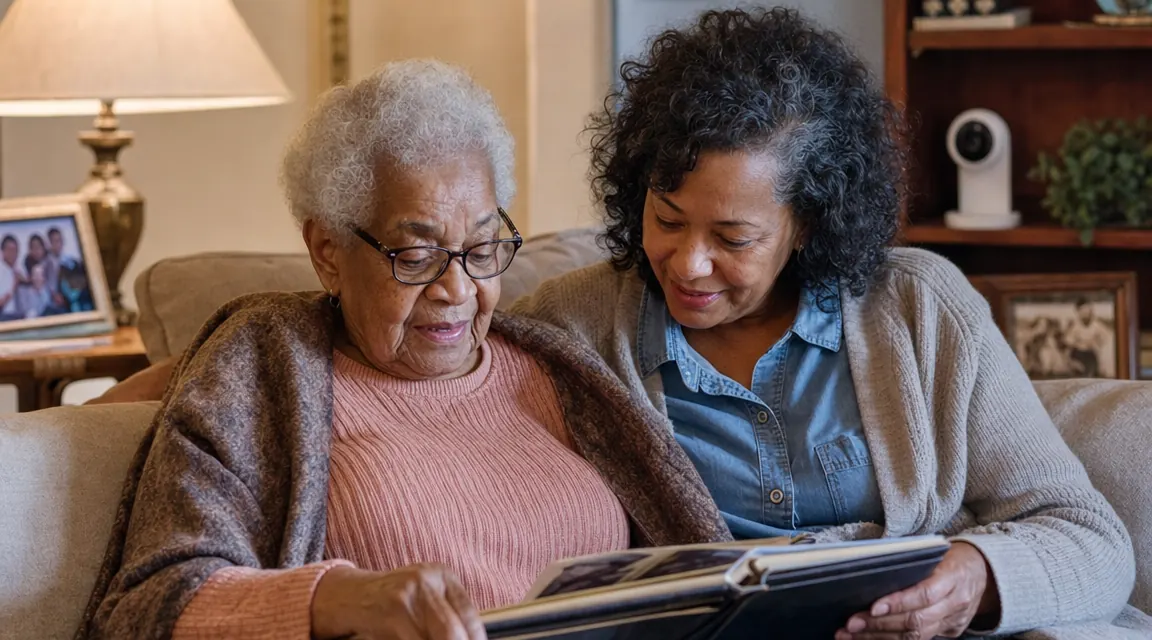
I set up my first Blink Mini in my mother's living room on a Thursday afternoon in October. She is 79, lives alone in a ranch house in central Ohio, and has mild balance issues that her doctor started flagging about two years ago. I live 400 miles away. When I plugged in the camera and pulled up the app on my phone, I felt something I had not felt in months: actual relief. That feeling is real. What I want to tell you is what happened in the six weeks after that, because some of it surprised me, and none of it was in the product description.
The Blink Mini has 309,000 Amazon reviews and a 4.4-star rating. That tells you the product works. It does not tell you about the subscription screens that greet you during setup, the cord that cannot be hidden, what happens to your recorded clips without a paid plan, or the three families I know personally who had this camera go dark because of their parent's spotty router. This review covers all of that.
The Quick Verdict
An excellent first camera for long-distance caregivers with one major caveat: you need reliable wifi at the parent's house and a clear plan for the subscription question before you open the box.
Amazon Check Today's Price →If your parent's wifi holds steady, this $30 camera will change what long-distance caregiving feels like.
The Blink Mini is the most affordable 1080p indoor security camera on Amazon with two-way audio and motion alerts. Worth every cent when the conditions are right.
Amazon Check Today's Price on Amazon →How I Have Used It (and What I Actually Put It Through)
Mom's camera sits on the bookshelf in her living room, pointed toward the kitchen doorway and the front door. I chose that spot because it covers the two highest-traffic areas in her day without pointing at her chair directly, which she found uncomfortable at first. We had a real conversation about placement before I installed it. That conversation matters. I will come back to it in the privacy section.
Over the course of sixteen months, I have logged into the app from airports, from my car in a parking lot at 11pm, and from my office when a motion alert came in and I could not place why her living room looked different. (She had rearranged the furniture. She was fine.) I have used the two-way audio to remind her about a doctor's appointment. I have checked in after a snowstorm when she wasn't answering her phone. The core product does what it promises.
But the test that matters for caregivers is not whether the camera works on a good day. It is whether the camera keeps working when the router reboots, when your parent bumps the cord, when Amazon runs a promotion for its cloud plan and the app suddenly has a new screen in the way. Those are the moments this review is actually about.
The Subscription Question: What You Actually Get for Free
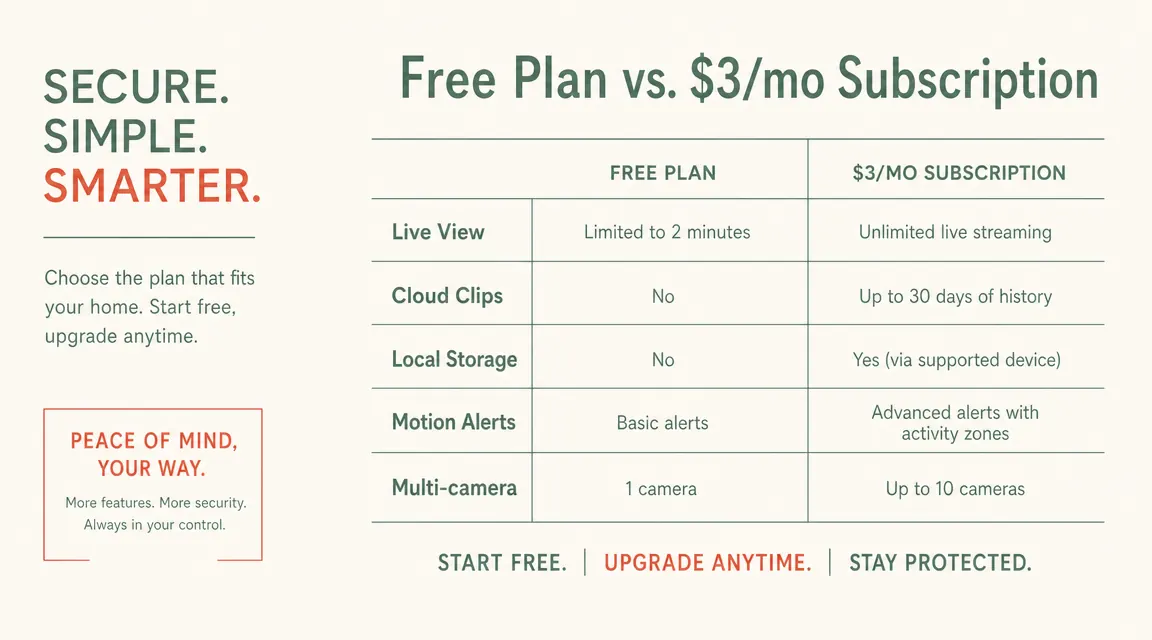
This is the thing most reviews skip past, and it is the thing I hear about most from other caregivers. When you first set up a Blink Mini, the app will offer you a free trial of the Blink Subscription Plan. It costs $3 per month per camera or $10 per month for unlimited cameras after the trial ends. During setup, the interface is designed to move you toward signing up. If you tap past it without reading carefully, you may not realize you declined.
Here is what the free plan gets you: live view on demand, motion alerts to your phone, and two-way audio. Here is what the free plan does NOT get you: saved video clips. On the free plan, when motion is detected, you get a notification, but the footage is not saved anywhere. You can see the live feed in that moment if you open the app fast enough, but there is no recording to review later. For a caregiver who wants to check what happened at 3am after getting an alert, that is a real limitation.
The $3 per month plan saves motion-triggered clips to Amazon's cloud for 60 days. That is the version I pay for, and I think it is worth it for my specific use case. But it is not automatic, it is not included in the camera price, and it is something you need to decide before setup, not after. There is also a local storage option: Blink sells a Sync Module 2 add-on that lets you save clips to a USB drive instead of the cloud. That route costs about $35 upfront and has zero monthly fee. For parents in rural areas with data-capped internet plans, the local option is the smarter choice.
On the free plan, you get motion alerts but no saved clips. For a caregiver checking what happened at 3am, that is a real gap. Know your plan before you open the box.
The Cord Problem Nobody Mentions
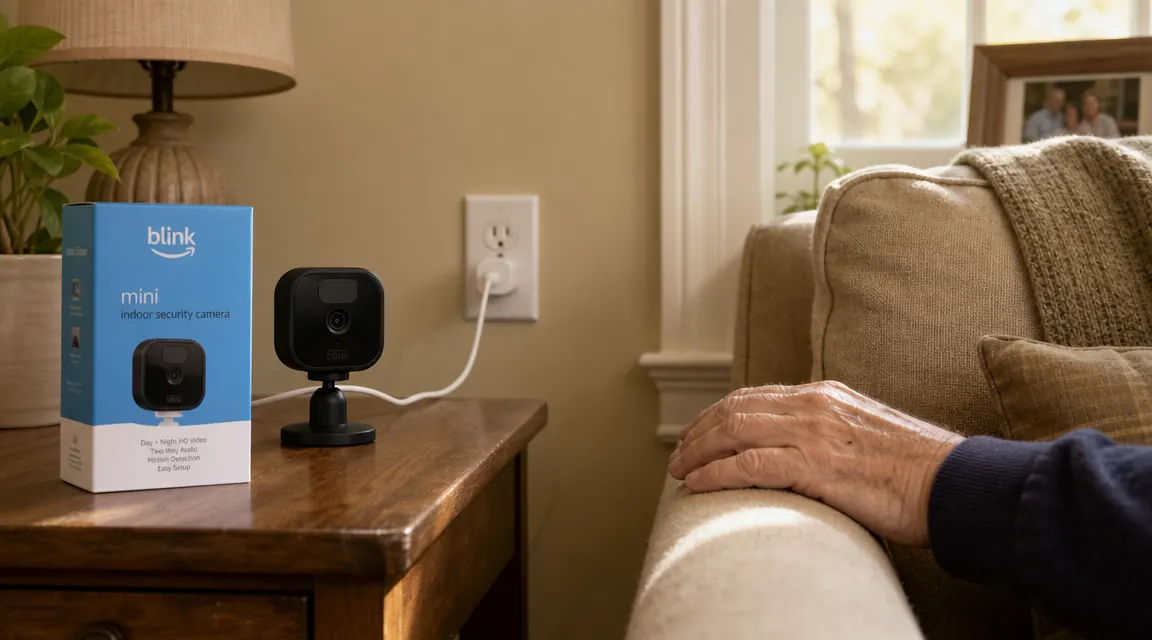
The Blink Mini is wired. It plugs into a standard wall outlet via a USB cable and a small power adapter. This is both its strength and its most practical limitation in an elder care setting.
The strength: you never worry about a dead battery. Battery-powered cameras are convenient for some situations, but for continuous caregiving coverage, a camera that runs out of power at an inconvenient moment is a real problem. The Blink Mini never has that problem. It is on as long as the outlet has power.
The limitation: the cord is visible, and it is about six feet long. For seniors who are cord-aware and safety-conscious, a USB cable trailing from a shelf to a wall outlet is something to route carefully. My mother tripped on an extension cord in her kitchen two years ago. That is partly why I installed the camera in the first place. When I set up the Blink Mini, I spent 20 minutes taping the cord along the baseboard behind the bookshelf before I was satisfied. If your parent's outlet placement is not near a shelf or table, you may be dealing with a cord across the floor or a longer extension situation. Plan for that before the box arrives.
The Blink Mini cannot be battery-powered and cannot be made wireless. If that is a dealbreaker for your situation, the Blink Mini 2 with a detachable mount and the Wyze Cam v3 Pro with a battery option exist. I compared several of these options in detail in my Blink Mini vs Wyze Cam piece, which is worth reading if you are still in the decision phase.
Night Vision: What the Spec Sheet Does Not Tell You
The Blink Mini uses infrared night vision, and it is genuinely good for the price point. In my mother's living room with only the TV on, I can identify her clearly from across the room. The image is black and white in low light, which some parents find disorienting at first when they see the camera footage themselves, but the clarity is solid.
The honest limitation is range. The night vision works well at 10 to 15 feet. Beyond that, the far edges of a large room get dark. If you are covering a large master bedroom or an open-plan living area, you may need two cameras to get meaningful coverage of the whole space at night. For a standard-sized bedroom or small living room, one camera is sufficient.
One thing nobody mentions: the infrared LEDs on the Blink Mini emit a faint red glow in a dark room. It is subtle, but visible. Some seniors sleep better not knowing the camera is there in the dark. If your parent is camera-anxious, placing the Blink Mini in a room they do not sleep in is worth considering. The living room, the hallway to the bathroom, or the kitchen are less intrusive placements than the bedroom for most families.
The Wifi Reality: When It Drops and What Happens
This is the section I wish someone had written for me before I installed the first one. The Blink Mini requires a consistent 2.4 GHz wifi connection to function. It does not work on 5 GHz bands. It does not store footage locally if wifi drops unless you have the Sync Module 2 with a USB drive. If the router reboots, goes offline, or loses signal, the camera goes offline with it.
For caregivers whose parents live in newer construction with a modern mesh router, this is usually not an issue. For the rest of the country, where aging parents often have aging routers, this is where the camera breaks down. I have spoken with four families in the past year who gave up on the Blink Mini not because the camera was bad, but because their parent's router was inconsistent. Two of them were in rural areas where the ISP itself had frequent outages. One had a parent who kept accidentally switching the router off when she unplugged things near the power strip.
Before you order the Blink Mini, check two things: first, that your parent's router broadcasts a 2.4 GHz network (most do, but some newer routers default to 5 GHz only). Second, that the wifi signal in the room where you plan to place the camera is reliably strong. A weak signal is a dropout waiting to happen. If you are not confident about the router situation, pairing the Blink Mini with a simple wifi extender is a reasonable fix. A TP-Link range extender for around $20 solved the dropout problem in one case I know of personally.
The app does notify you when the camera goes offline, which is helpful. But it is not a substitute for a stable connection. A camera that is offline is not doing its job.
The Privacy Conversation You Have to Have First
I am going to say this plainly because I have seen it go wrong. Installing a camera in a parent's home without their knowledge or genuine consent is not a caregiver tool. It is a surveillance situation, and it will damage your relationship if they find out, which they will.
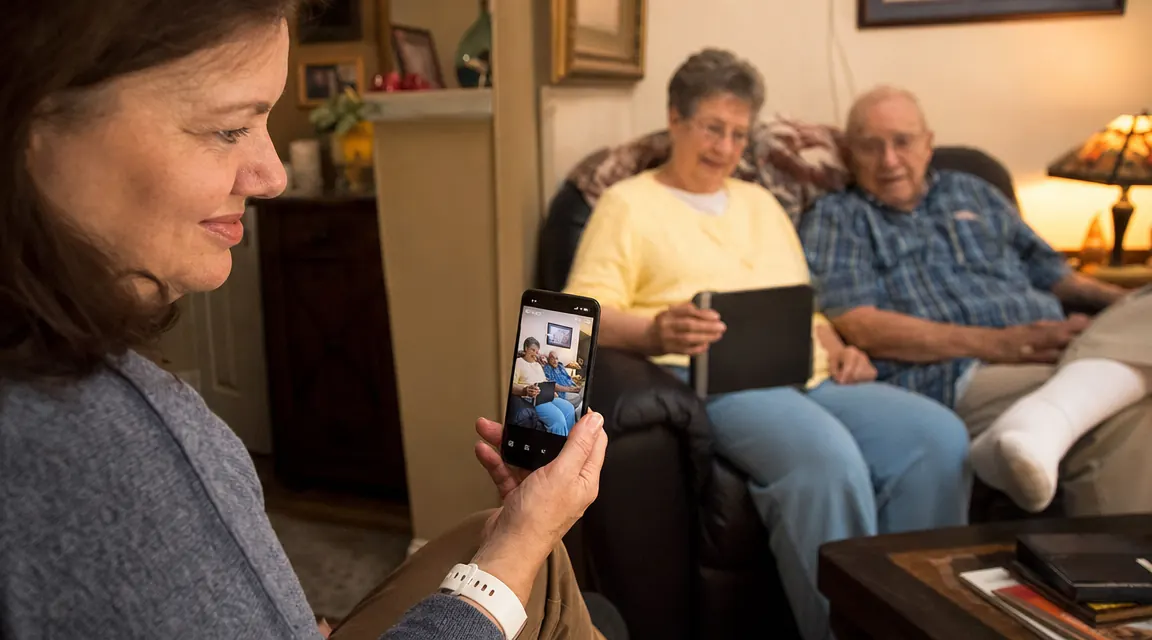
My mother and I talked about the camera before I bought it. I explained what I would see, when I would check, and how she could ask me to take it down at any time. She set the condition that I tell her before I pull up the live feed, except in an emergency. I have mostly honored that. The camera works for our relationship because we established its parameters together. That is the only version of this that works long-term.
If your parent is resistant to a camera in their home, respect that. There are other monitoring approaches, including door sensors, bed vibration sensors, and check-in call services, that are less visually intrusive. I have written about some of those in the companion piece on monitoring aging parents without making them feel watched, which covers the full landscape of options.
What I Liked
- 1080p HD video is genuinely clear even in average light
- Two-way audio works well for quick check-ins and reminders
- Motion alerts reach your phone within a few seconds reliably
- Setup takes under 10 minutes for someone comfortable with apps
- No battery to die. Wired means continuous coverage.
- Works with Alexa for voice commands and show-device integration
- Free plan covers live view and motion alerts at no monthly cost
Where It Falls Short
- Wired only, so the cord requires thoughtful routing in elder homes
- Free plan saves no recorded clips, a real gap for asynchronous review
- Dependent on parent's wifi. Outages cut all coverage instantly.
- Only 2.4 GHz wifi, so some modern routers require configuration changes
- Night vision infrared glow is visible in dark rooms
- Subscription nag screens during setup can confuse less tech-savvy users
- App navigation is designed by Amazon to push subscription signups
Who This Camera Is For
The Blink Mini is the right camera for long-distance caregivers whose parent has a modern, reliable router, an outlet near a shelf or table, and a genuine willingness to accept the camera. It is also right for caregivers who want a free or low-cost plan for live monitoring only, without worrying about recorded footage. At its price point, it is genuinely hard to beat for the core task of being able to see your parent's living space when you need to.
If you are buying for a parent who is camera-positive and in good wifi range, order with confidence. The 309,000 reviews are not a fluke. The overwhelming majority of people who use this camera for elder care find it does what it says. The review I linked to in the long-term piece, covering sixteen months of actual daily use, reflects that experience.
Who Should Skip It
There are real situations where the Blink Mini is the wrong tool. Skip it if your parent has an unreliable or slow internet connection. An outdoor rural ISP that goes down in bad weather, a DSL line that drops in the evenings, or a router that the parent keeps switching off will make this camera more frustrating than useful. The camera is only as reliable as the connection behind it.
Skip it if your parent has refused a camera and you are considering installing it covertly. That path leads somewhere worse than the anxiety you are trying to solve. If your parent is resistant but open to conversation, start there. If they are genuinely opposed, look at non-camera monitoring options. Forcing a camera into someone's home without consent is not caregiving.
Also skip it if the only outlet available would require a cord across a walking path. A tripping hazard introduced by a fall-prevention camera is a dark outcome. Cord routing and placement need to be solved before setup, not after.
Finally, skip it if you want a camera that works completely offline or off-grid. The Blink Mini requires internet. Period. If the situation calls for local-only recording with no cloud dependency, look at cameras that support a microSD card and local recording, such as certain Wyze models or the Eufy Indoor Cam. I covered that comparison more thoroughly in the Blink Mini vs. Wyze Cam piece for anyone still weighing options.
Right parent, right wifi, right conversation first. This camera earns its spot on the shelf.
The Blink Mini is one of the most reviewed indoor cameras on Amazon for a reason. If the conditions are right, the setup takes 10 minutes and the peace of mind lasts for years. Check the current price and availability before you decide.
Amazon Check Today's Price on Amazon →